 Agentbox
Guide
Claude Code and git worktrees
A worktree gives each agent its own checkout on its own branch, and one command creates it. The new folder arrives with no node_modules and no .env, so the first thing an agent does in there is fail, and the fix is a file called .worktreeinclude that Anthropic documents and three tools read.
Written 16 October 2026, updated 17 October.
One command makes a second folder on a new branch
$ git worktree add ../app-dark-mode -b dark-mode
Preparing worktree (new branch 'dark-mode')
HEAD is now at 4a1c9f2 Snooze survives a restart
It shares one object store with the first, so the history is not copied, only the checked-out files.
An agent pointed at that folder cannot touch anything in the main checkout.
What goes wrong when two agents share one folder
Two Claude Code sessions in one folder share one working tree, so both edit the same files, both run the formatter and both commit, and git records nothing afterwards about which of them did what.
Git never saw two versions of anything, so there is no merge conflict to resolve and nothing to choose between.
Why a new worktree has no node_modules or .env
A worktree holds what is committed, and everything git ignores stays behind in the folder it came from. For a typical Node project that means the new folder arrives with no node_modules, no .env and none of the local config the build reads.
$ npm test
sh: vitest: command not foundRunning npm install in each worktree by hand works, but it is slow and duplicates a few hundred megabytes of dependencies per task.
What .worktreeinclude does
A file called .worktreeinclude at the repository root, written in gitignore syntax, names the ignored files a new worktree should receive. Claude Code, Conductor and Agentbox all read it, and Anthropic documents it with a worked example and the rules for patterns that start with **/ inside a wholly ignored directory. Nick Khami's write-up on worktrees, agents and tmux describes the workflow it exists for.
node_modules/
.env
.env.local
!.env.production
Git itself does the matching, through git ls-files --others --ignored --exclude-from, so negation, anchoring and globs behave exactly as git defines them. On macOS the copy can ask APFS for a block-sharing clone, and carrying node_modules across then costs almost no disk at all.
Why a hand-rolled copy step is the risky one
Claude Code copies a file only when it matches a pattern and the repository already ignores it, which is the rule that keeps a bad pattern from carrying a tracked file into the new folder. Agentbox applies the same intersection, checking every selected path with git check-ignore in both checkouts and refusing the folder by name when one fails. A copy step written by hand usually has neither check, and a pattern that selects a file the repository does not actually ignore leaves it sitting untracked in the new folder, where anything that later runs git add -A commits it.
Where each tool puts its worktrees
Tools that run several agents at once generally create a worktree per task, including Orca, Claude Squad, Nimbalyst, Emdash, grove and Agentbox. No two of their READMEs agree on where the folder goes, so the README of whichever tool is running is the only reliable answer.
The lack of a standard starts to matter the moment two of these tools point at a single repository. Somebody who built a worktree cleaner to deal with it wrote on Hacker News on 15 October 2026 that the tools each put their worktrees somewhere different, which made them hard to find. That post drew one point and no replies.
| Layout | Good | Bad |
|---|---|---|
| Sibling folder | Easy to see, easy to delete | Clutters the parent directory |
| Inside the repository | Travels with the project, one place to look | Needs a gitignore entry or git offers to commit it |
| Central directory | Keeps every repo tidy | Far from the code, easy to forget |
Agentbox uses the middle layout, .claude/worktrees/<task id>, with a branch of the same name, so a task called w-7c21 does its work in .claude/worktrees/w-7c21 on a branch called agentbox/w-7c21.
Removing worktrees and their branches
Abandoned agent runs leave both their folders and their branches behind. Claude Code now clears up after itself on exit, removing a clean unnamed worktree and its branch and prompting when there is work in it, but a run started with -p has no exit prompt and anything created by hand is nobody's job. After a fortnight those are what is left.
$ git worktree list
/Users/you/app              4a1c9f2 [main]
/Users/you/app-dark-mode    8b31e07 [dark-mode]
/Users/you/app-snooze       1f90a42 [snooze-restart]

$ git worktree remove ../app-dark-mode
$ git worktree prune          # drop records whose folders are gone
$ git branch -d dark-mode     # the branch is separate
Remove refuses, and never deletes the branch
git worktree remove refuses while the folder still holds uncommitted changes, and --force overrides it.
Removing a worktree also never deletes its branch.
Clearing a whole repository at once
$ git worktree list --porcelain | awk '/^worktree /{print $2}' | tail -n +2
$ git worktree prune
$ git for-each-ref --format='%(refname:short)' --merged main refs/heads/ \
    | grep -vx main | while read b; do git branch -d "$b"; done
The first line lists every worktree except the main checkout. The rest prunes the dead records and then deletes the branches already merged into main. Anything unmerged survives and has to be looked at by hand, and so does any branch still checked out in a live worktree, which git refuses to delete and says so for each one. git for-each-ref is doing the work that git branch cannot, because git branch prefixes the current branch with an asterisk and a worktree's branch with a plus, and those markers reach git branch -d as arguments. grep -vx matches the whole line, so a branch called domain-fix survives a filter looking for main.
Every git worktree command, with its gotcha
The git-worktree documentation lists every flag there is. These thirteen are the ones that come up when a tool is creating the worktrees.
| Command | What it does | Gotcha |
|---|---|---|
git worktree add <path> -b <branch> | New folder on a new branch | Fails if the branch already exists |
git worktree add <path> <branch> | New folder on an existing branch | Refuses if that branch is checked out elsewhere |
git worktree add --detach <path> | New folder, no branch | Commits there are easy to lose |
git worktree list | Every worktree and its branch | The only source of truth |
git worktree list --porcelain | The same, machine readable | What tools parse |
git worktree remove <path> | Deletes the folder and the record | Refuses with uncommitted changes |
git worktree remove --force <path> | Removes anyway | Throws away uncommitted work |
git worktree prune | Clears records for folders already gone | Does not delete branches |
git worktree move <from> <to> | Relocates and re-registers | Use this instead of mv |
git worktree lock <path> | Stops prune removing it | For folders on removable disks |
git branch -d <branch> | Deletes a merged branch | Separate step from removing the worktree |
git branch -D <branch> | Deletes an unmerged branch | Loses the commits |
git worktree repair | Fixes records after the repo moved | Runs from the main checkout or from a worktree |
Worktree or branch, and when each one is right
A branch is enough for one thing at a time. Switching branches inside one folder is simpler, needs no cleanup afterwards, and keeps a single node_modules that is already installed.
A worktree earns its keep the moment two things have to exist at the same time.
| Situation | Use |
|---|---|
| One task at a time | A branch |
| Two or more agents at once | A worktree each |
| A dev server that has to keep running | A worktree |
| Reviewing someone else's branch | A worktree |
| A quick one-line fix | A branch |
| Comparing two approaches side by side | A worktree each |
Merging a worktree's branch back
$ git merge dark-mode
$ git worktree remove ../app-dark-mode
$ git branch -d dark-mode
The branch an agent worked on is an ordinary branch and merges like one, whichever tool created it.
Five finished branches mean five diffs to read. The tools that run several at once differ mainly in how they put those five diffs on screen.
Questions about the basics
What is a git worktree?
A second working directory for one repository, checked out to a different branch, sharing the same history and object store. One clone, several folders.
Does it copy the repository?
No. The objects are shared, so a worktree costs what the checked-out files cost rather than what the history costs, which is why adding a tenth one is about as cheap as adding the second.
Where does Claude Code put its worktrees?
That depends on how it is invoked and which tool is driving. No answer holds across tools, so git worktree list in the repository is the only one that cannot be wrong. The git documentation describes the registration format for reading it directly.
Can I have a worktree of a worktree?
A worktree can be created from any checkout of the repository, and it is registered against the same repository either way. There is no hierarchy to worry about.
Questions about running agents in worktrees
Is it safe to run several agents in worktrees at once?
For files, yes. They cannot reach each other's checkouts. The shared parts are the object store, which git is built to handle, and anything outside git. A dev server on a fixed port is the collision that actually arrives, and it has nothing to do with worktrees.
What if two agents both commit?
They commit to different branches, so nothing collides. The two sets of work meet at merge time, where git treats them like any other pair of branches.
Do I need one per agent, or per task?
Per task. An agent that finishes and hands back is done with its folder, and the next task gets a fresh one. Reusing a folder across tasks is how stale state leaks from one task into the next, which is why Agentbox names each folder after the task id rather than after the agent.
Can I turn worktrees off in a tool that creates them?
Usually, though that is the first thing worth checking before adopting one. A tool that insists on a worktree per task will fight a repository that has submodules, generated files that are ignored but required anyway, or a build that writes outside the tree. Sculptor isolates in Docker containers instead, which avoids all three.
Questions about disk and cleanup
How much disk does this cost?
The checkout, plus the dependencies, once per folder. Git objects are shared, so the history costs nothing extra. Dependencies are the real bill, and on macOS a block-sharing copy takes most of it away again.
Why is my worktree folder showing up in git status?
Because it sits inside the repository and nothing ignores it. Adding the directory to .gitignore settles it, and the tool that created the folder may well have added that line already.
What is a prunable worktree?
A record pointing at a folder that no longer exists, usually because somebody deleted the folder by hand. git worktree prune clears those records.
Can I move a worktree after creating it?
git worktree move exists for exactly that, and it updates the registration as it goes. Moving the folder with mv instead leaves git pointing at nothing, which is the prunable case above.
Three worktrees at once, and the cleanup after
$ for t in dark-mode snooze-restart search-archive; do
    git worktree add "../app-$t" -b "$t"
  done
Preparing worktree (new branch 'dark-mode')
Preparing worktree (new branch 'snooze-restart')
Preparing worktree (new branch 'search-archive')

$ git worktree list
/Users/you/app                 4a1c9f2 [main]
/Users/you/app-dark-mode       4a1c9f2 [dark-mode]
/Users/you/app-snooze-restart  4a1c9f2 [snooze-restart]
/Users/you/app-search-archive  4a1c9f2 [search-archive]
$ git merge dark-mode
$ git merge snooze-restart
$ git worktree remove ../app-dark-mode
$ git worktree remove ../app-snooze-restart
$ git worktree remove --force ../app-search-archive # it left changes behind
$ git branch -d dark-mode snooze-restart
$ git branch -D search-archive # unmerged, dropped on purposeCleaning up after three agents took seven commands. The two merges are separate on purpose, because naming both branches on one git merge asks git for an octopus merge, which refuses outright when the branches touch the same file and cannot be resolved the way an ordinary two-way merge can.
How Agentbox creates and cleans up worktrees
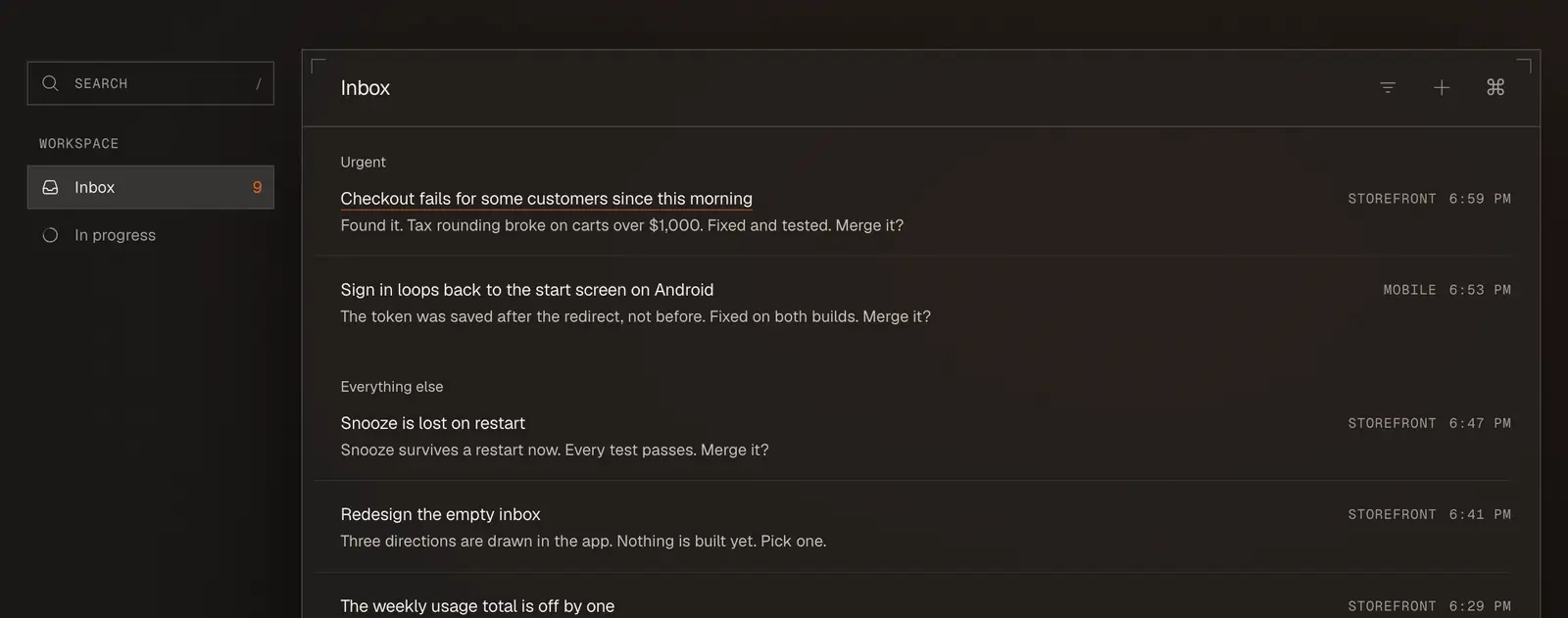
In Agentbox every task gets its own worktree under .claude/worktrees/ and its own branch, both created the moment the task starts. The built-in terminal opens in that folder, so typed commands land where the agent is working, and the diff appears in the app once the agent is done.
Underneath it is ordinary git, so git worktree list in the repository shows exactly what it would have shown if the commands had been typed by hand.
What worktrees leave unsolved
When worktrees are not the right shape for a repository, containers are the other answer. madarco/agentbox goes that way by default, and Sculptor, whose own default is worktrees, offers a Docker backend it marks experimental.
Worktrees isolate files and nothing else. Ports, databases and anything a project touches outside the repository still collide, the code still needs reviewing, and cleanup turns into a habit somebody has to keep.
Agentbox
Every task gets its own worktree, its own branch and its own agent. Dozens run in parallel, and only the ones that need you ever interrupt. Free and open source.